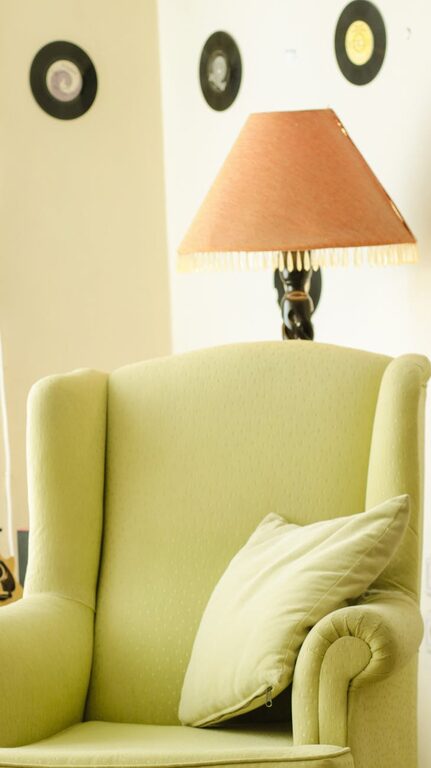
Setting up a home office that is both productive and comfortable has become essential for many people working remotely or running a business from home. With the right environment, you can improve focus, reduce stress, and create a space that motivates you throughout the day. This guide shares practical tips to help you design a home office that suits your needs and promotes well-being.
Choose the Right Location
The first step in creating a productive home office is selecting an appropriate space. Ideally, this area should be quiet, private, and free from distractions.
– Quiet corners: Consider a spare room, a corner in your living room, or even a dedicated nook. Avoid high-traffic areas where interruptions are common.
– Natural light: Position your desk near a window to benefit from natural daylight, which can help improve mood and reduce eye strain.
– Ventilation: Good airflow is vital to keep the space fresh and comfortable throughout the day.
Invest in Ergonomic Furniture
Comfort plays a significant role in maintaining productivity and preventing physical strain. Invest in furniture designed to support your posture and reduce fatigue.
– Ergonomic chair: Choose a chair with adjustable height, lumbar support, and comfortable cushioning. This helps maintain a healthy sitting position.
– Desk height: Ensure your desk is at the correct height to keep your arms at a 90-degree angle while typing.
– Footrest: If your feet don’t touch the ground comfortably, a footrest can provide additional support.
– Standing desk options: Consider alternating between sitting and standing by using a sit-stand desk or desk converter.
Organise Your Workspace Efficiently
A tidy, organised workspace can improve focus and reduce time wasted searching for items.
– Declutter regularly: Keep only essential items on your desk and store the rest in drawers or shelves.
– Desk accessories: Use trays, pen holders, and cable organisers to keep everything neat.
– Storage solutions: Shelves, filing cabinets, or boxes help manage paperwork and supplies.
– Digital organisation: Keep your computer desktop and files organised with clear folders and regular backups.
Set Up Proper Lighting
Good lighting reduces eye strain and creates a pleasant work atmosphere.
– Natural light: Maximise daylight by opening blinds and positioning your desk accordingly.
– Task lighting: Use adjustable desk lamps to provide focused light for reading and detailed tasks.
– Avoid glare: Position screens to avoid reflection from windows or bright lights.
– Ambient lighting: Consider soft overhead lighting to reduce contrast and eye fatigue.
Minimise Noise and Distractions
Noise can seriously affect concentration. Taking steps to control sound helps create a calm working environment.
– Use noise-cancelling headphones: These are especially useful if you share your home with others.
– Soundproofing: Adding rugs, curtains, or acoustic panels can absorb sound and reduce echo.
– Set boundaries: Communicate your working hours with family members or housemates to minimise interruptions.
– Background music: Some people find gentle music or white noise helpful for focus.
Personalise Your Space
Adding personal touches makes your home office feel inviting and encourages you to spend time there.
– Decor: Choose colours and decorations that make you feel calm or inspired, such as plants, artwork, or photos.
– Comfort items: A cosy blanket, cushion, or favourite mug can make breaks more enjoyable.
– Inspiring quotes: Placing motivational reminders near your desk can boost your mood throughout the day.
Maintain a Healthy Routine
Creating a comfortable space is only part of the equation—developing good habits ensures productivity and well-being.
– Regular breaks: Follow the 20-20-20 rule—every 20 minutes, look at something 20 feet away for 20 seconds to reduce eye strain.
– Stretch and move: Stand, stretch, or walk around regularly to avoid stiffness.
– Limit distractions: Turn off unnecessary notifications and set specific times for checking emails or messages.
– Set working hours: Define your start and finish times to separate work from personal life.
Utilise Technology Wisely
Using the right tools can boost productivity and simplify tasks.
– Reliable internet: A fast, stable connection is essential for video calls, cloud work, and research.
– Quality peripherals: Invest in a good keyboard, mouse, and headset for comfort and efficiency.
– Cloud storage: Services like Google Drive or Dropbox enable easy file access and collaboration.
– Productivity apps: Tools such as calendars, to-do lists, and focus timers can help organise your day.
Keep Your Workspace Clean
A clean environment supports mental clarity and professionalism.
– Daily tidy-up: Spend a few minutes at the end of each day clearing your desk and organising materials.
– Disinfect surfaces: Regularly clean keyboards, screens, and desk surfaces to maintain hygiene.
– Air quality: Keep your workspace ventilated and consider adding air-purifying plants.
—
By thoughtfully designing your home office to match your work habits and comfort needs, you can create a space that fosters productivity and enjoyment. Whether you have a small corner or a dedicated room, these simple steps will help you make the most of your home working experience.
About the Author